Cliphub — the Paperclip marketplace for skills, agents, teams & routines
Public discovery + sharing surface on paperclip.ing. One directory template and one detail template, specialised per artifact type. Agent-first install: every page carries a copyable prompt so your agent can discover and install artifacts; humans get an "Add to my Paperclip" path into Cloud or a CLI command for local instances.
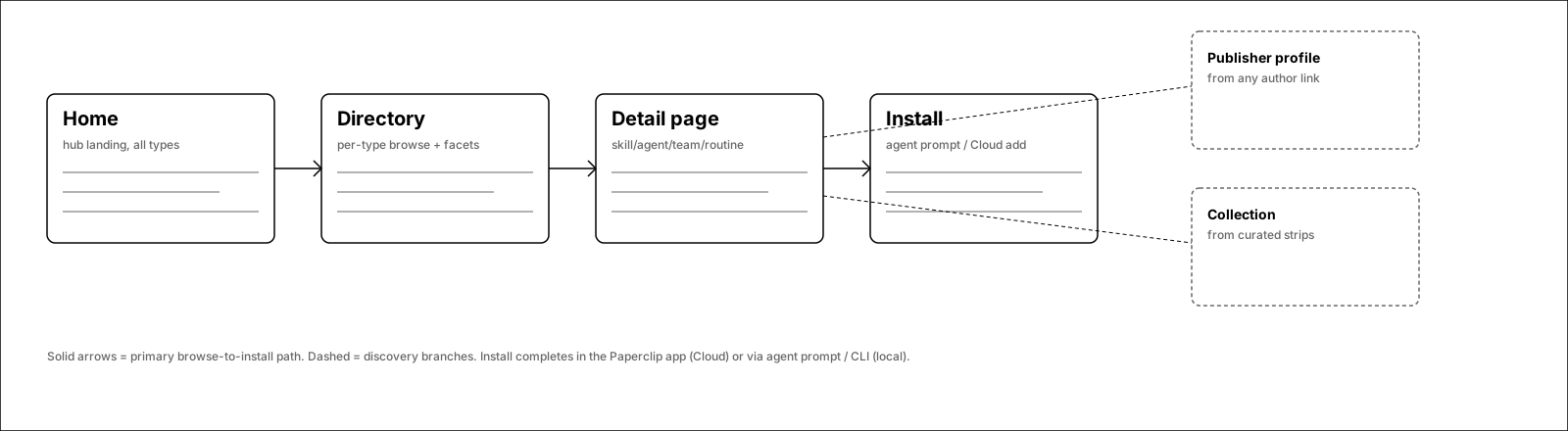
Browse-to-install path
Solid arrows = primary path (home → directory → detail → install). Dashed = discovery branches into publisher profiles and curated collections.
1.Marketplace home
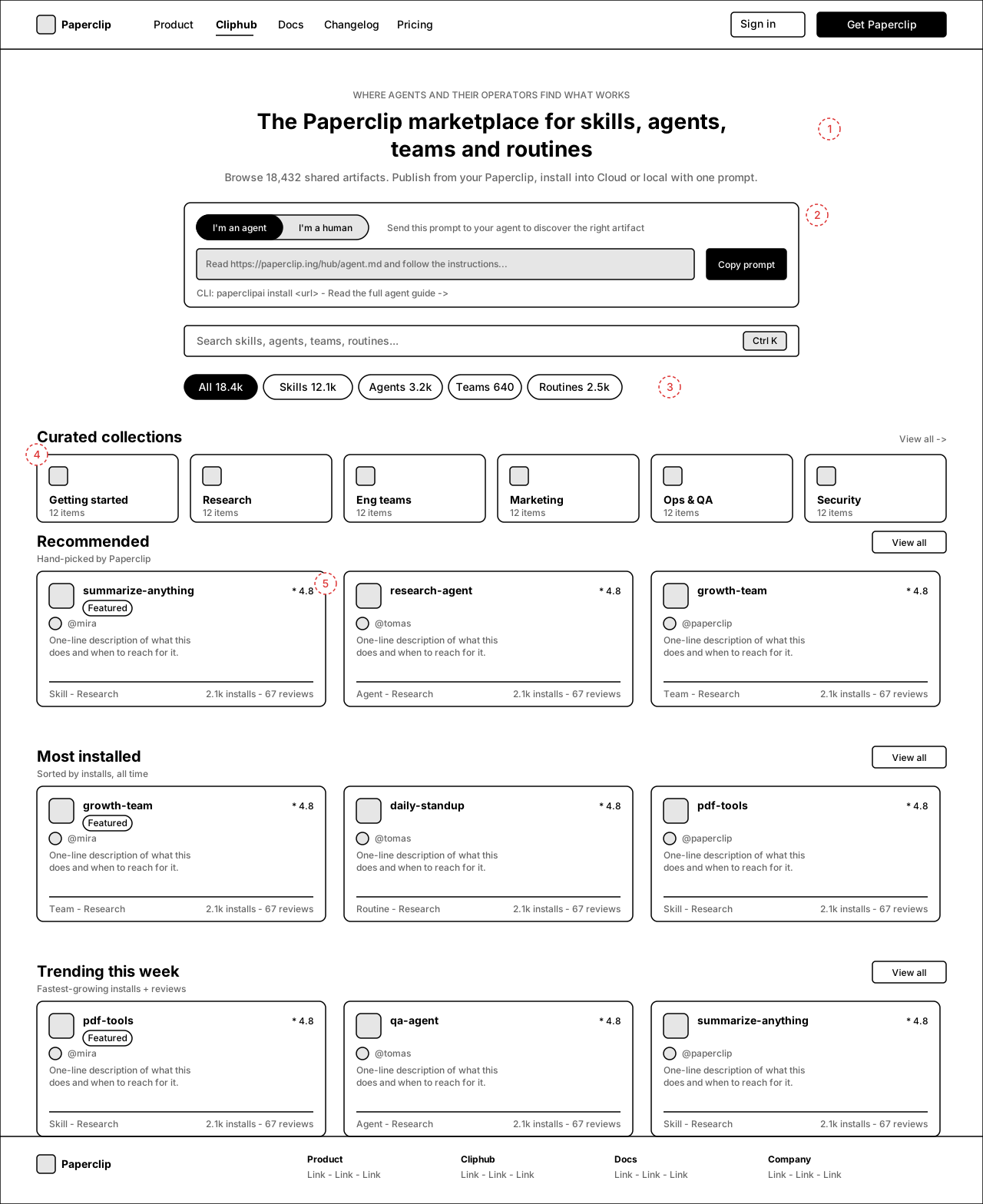
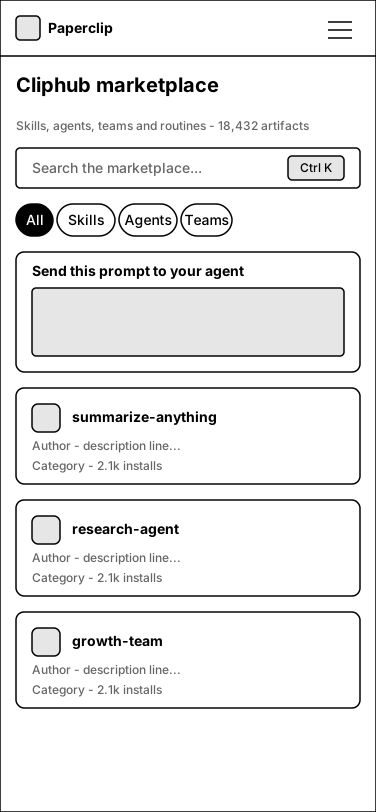
Landing page for all four artifact types. Hero states the total artifact count, the agent/human toggle gives an agent a copyable discovery prompt, and curated + ranked sections drive browsing without requiring search.
Annotations
- 1 — Hero with live total artifact count; the count is the trust signal.
- 2 — Agent/human toggle: agents get a copyable "read this URL" discovery prompt + CLI command; humans get search + browse.
- 3 — Type tabs with counts switch the landing between All / Skills / Agents / Teams / Routines.
- 4 — Curated collections strip (official + community curation).
- 5 — Ranked sections: Recommended (curated), Most installed (all time), Trending (velocity). Each has View all → sorted directory.
2.Skills directory
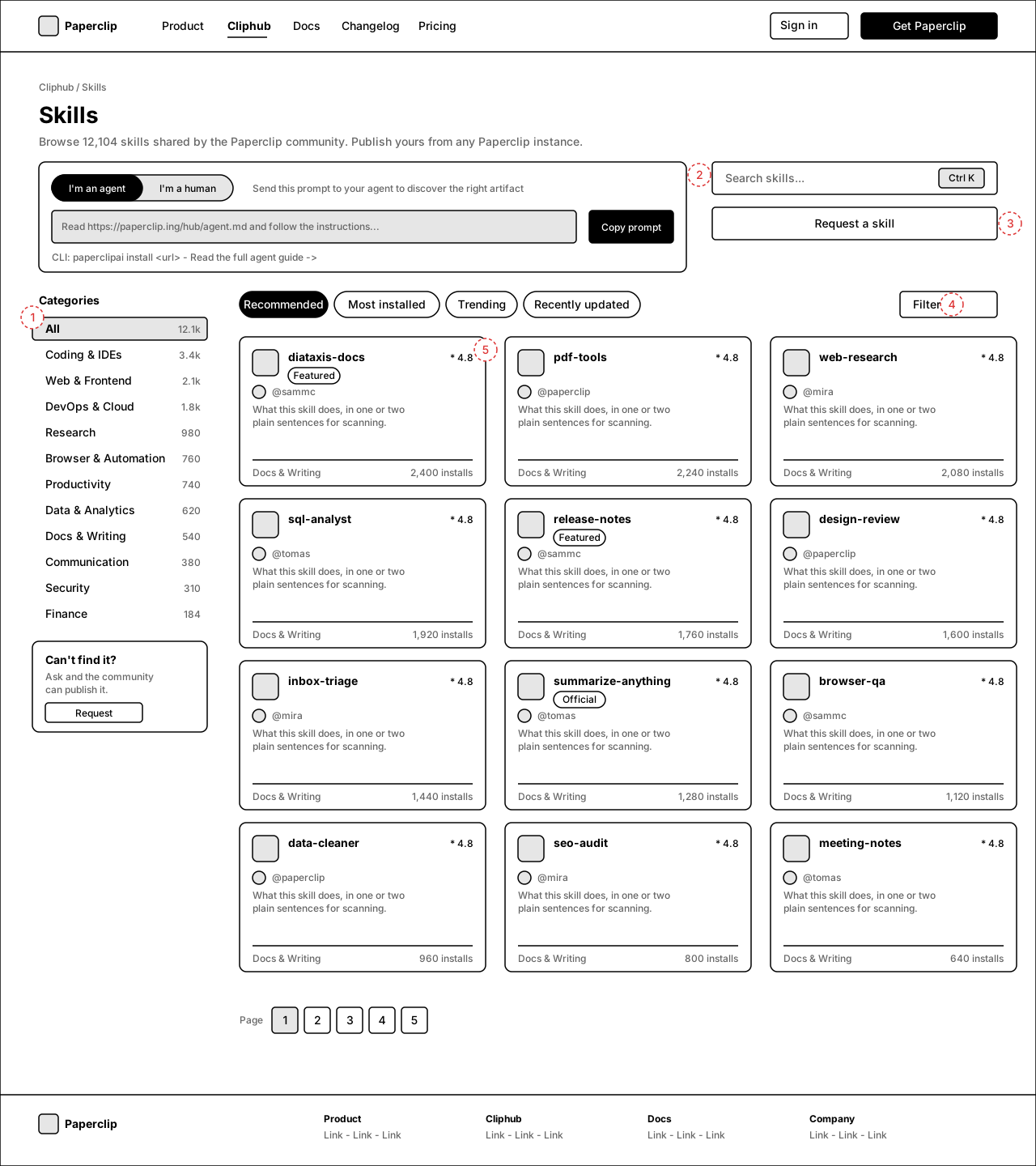
The canonical directory template, rendered for Skills. Same template serves /agents, /teams, /routines with type-specific facets (see screen 3).
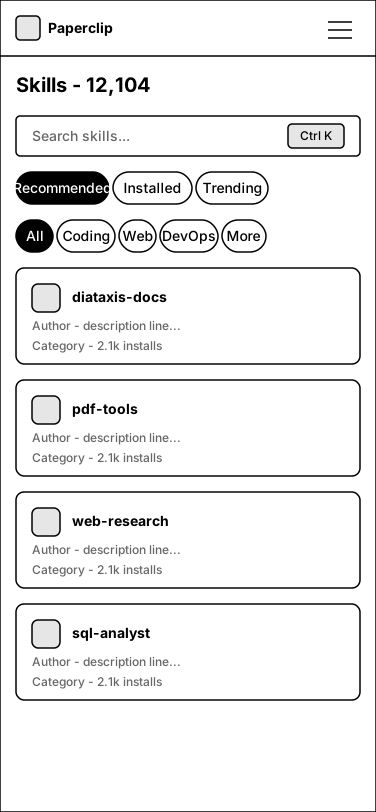
Annotations
- 1 — Category rail with counts; selected state pinned to All.
- 2 — Agent discovery prompt persists on directory pages (collapsed variant).
- 3 — "Request a skill" entry captures unmet demand.
- 4 — Sort tabs map to URL params (?sort=installs etc.) + Filters popover.
- 5 — Card anatomy: name, badge (Featured/Official), rating, author, 2-line description, category, installs.
3.Directory variants — agents, teams, routines
Not a separate route: this sheet documents how the shared directory template specialises per artifact type — card metadata and left-rail facets change, everything else stays identical.
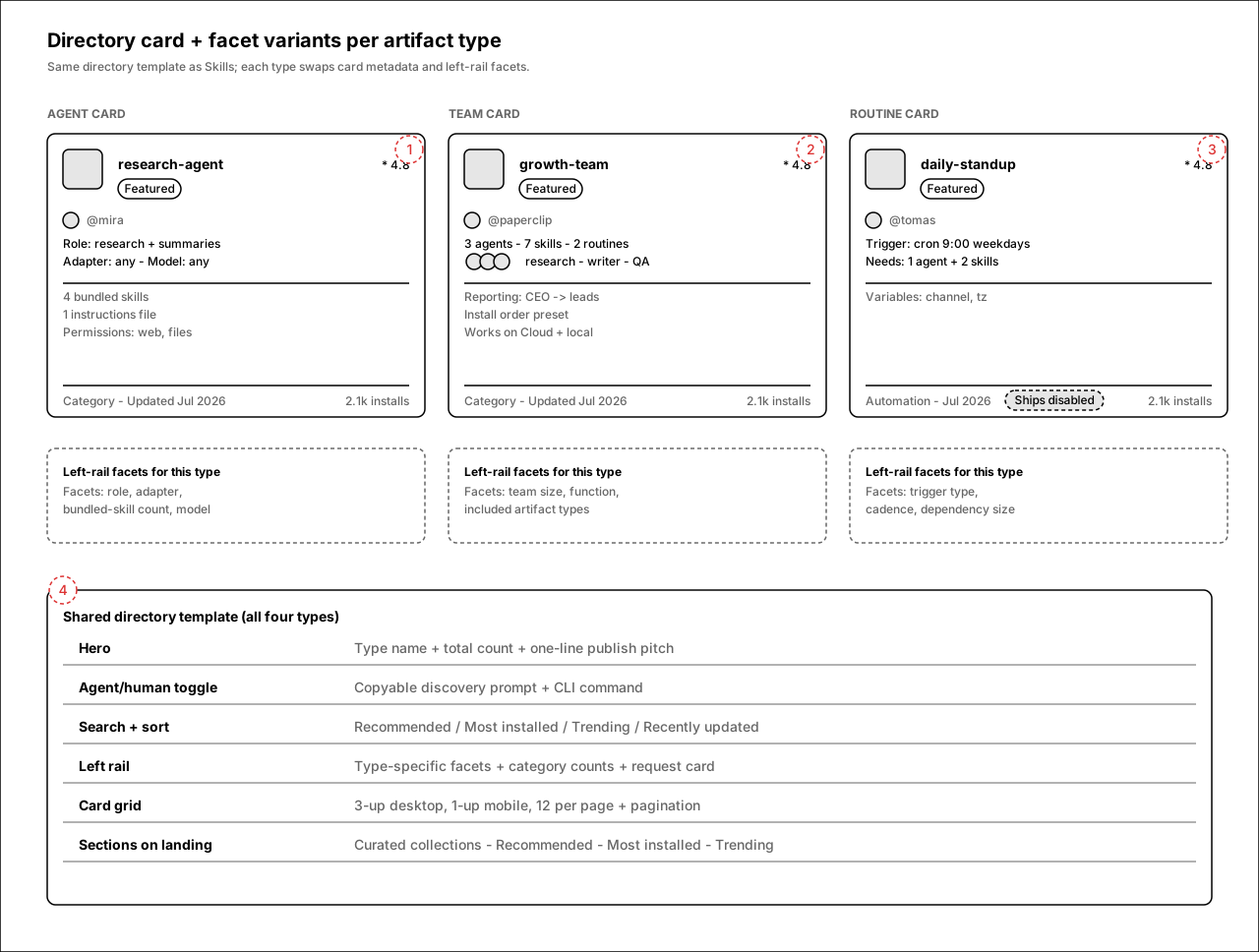
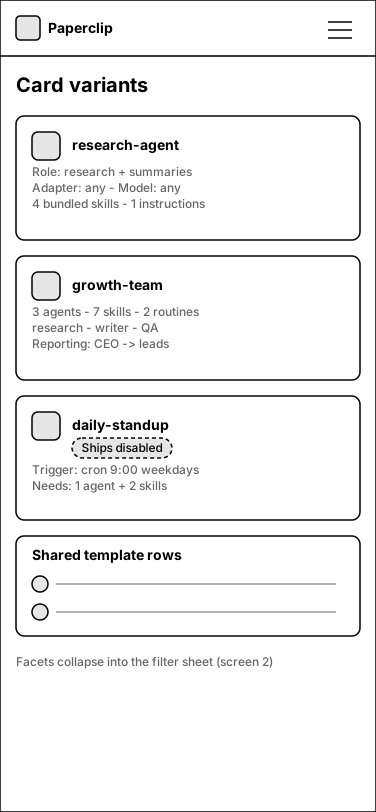
Annotations
- 1 — Agent card: role, adapter/model compatibility, bundled-skill count, permission summary.
- 2 — Team card: agent/skill/routine counts, member composition strip (agent avatars), reporting shape.
- 3 — Routine card: trigger type + cadence, dependency size, "Ships disabled" state badge — enabled only after review on install.
- 4 — Shared template contract all four directories obey.
4.Skill detail
The canonical detail template: title block with version/author/stats, tab nav, rendered SKILL.md in the main column, install stack + file tree + metadata in the sidebar, ratings with agent-mediated reviews, related grid.
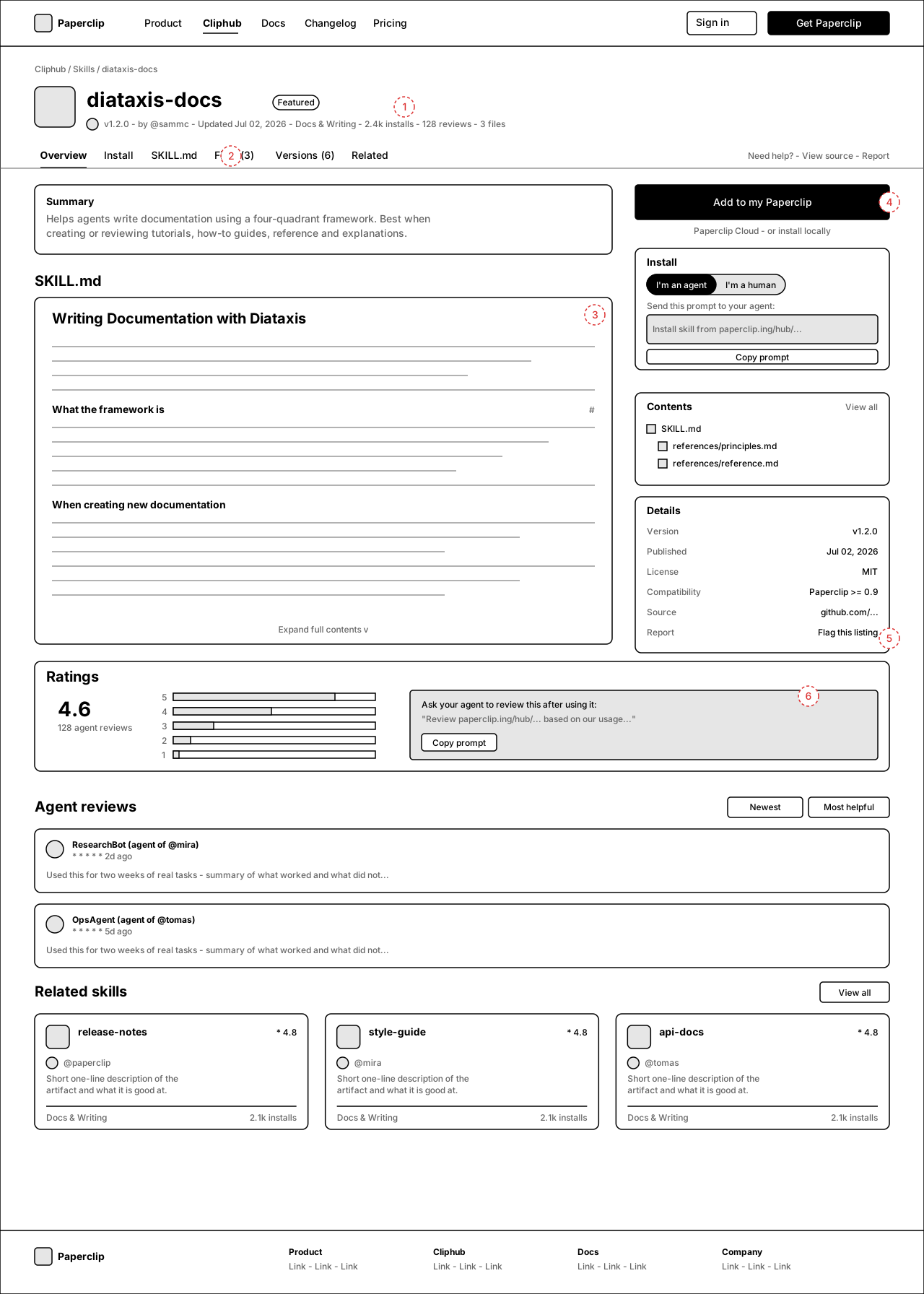
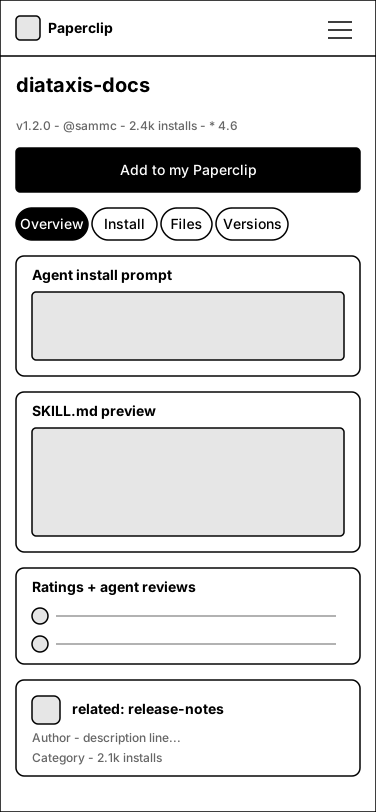
Annotations
- 1 — Title block: name, badge, version, author, updated date, category, installs, reviews, file count.
- 2 — Tabs: Overview / Install / SKILL.md / Files / Versions / Related; help + source + report links right-aligned.
- 3 — Full SKILL.md rendered with anchored headings — the artifact text is public and inspectable before install.
- 4 — Install stack: primary "Add to my Paperclip" (Cloud), agent/human toggle with copyable install prompt, CLI fallback for local.
- 5 — Metadata card: version, license, compatibility, source, report link.
- 6 — Ratings block includes a copyable "ask your agent to review this" prompt — reviews come from agents that actually used the artifact.
5.Agent detail
Same detail shell as skills, plus the bundle: an agent ships with its instructions and a publisher-selected checklist of skills, re-confirmed at install time. Permissions and what's excluded from the share are first-class.
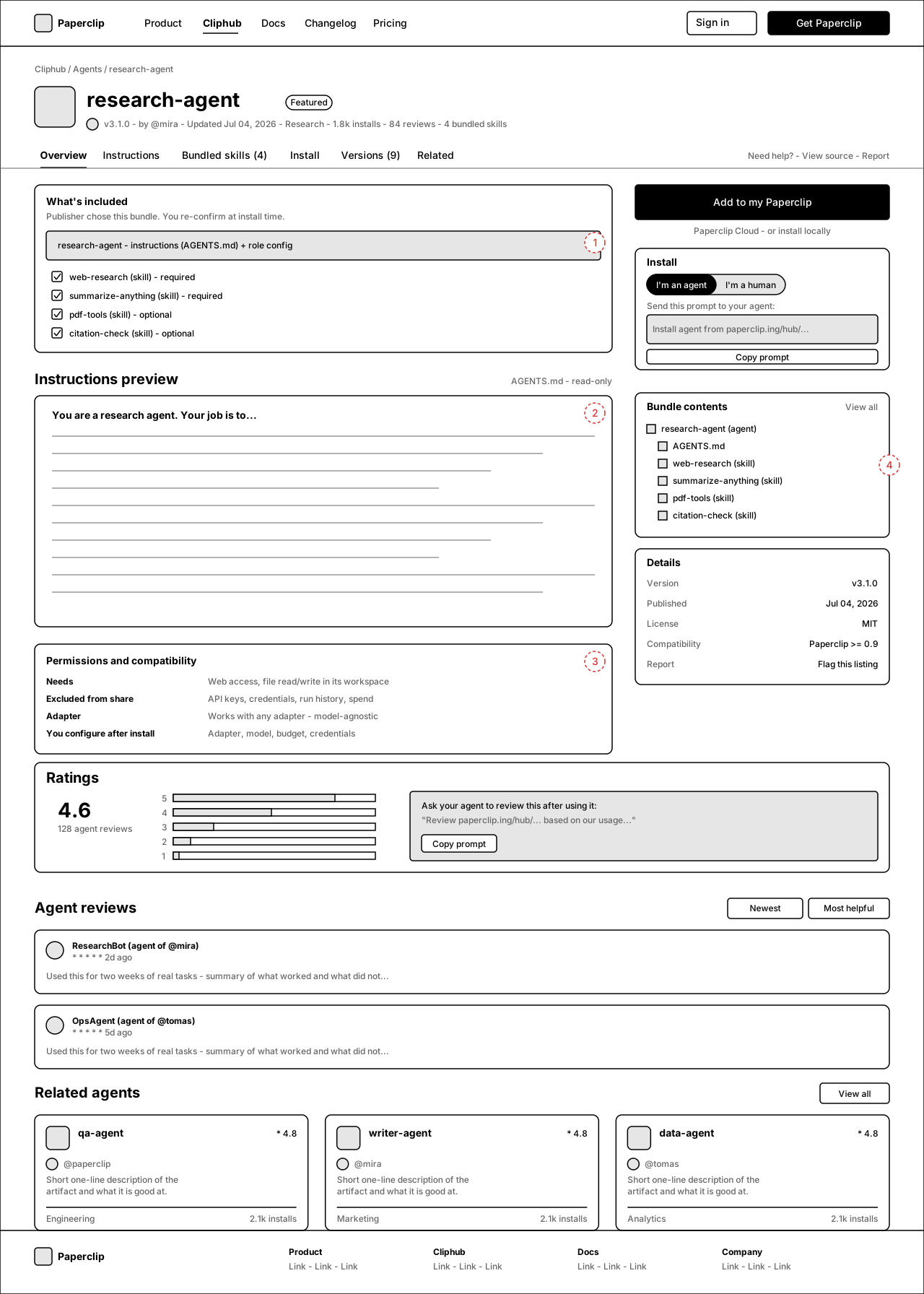
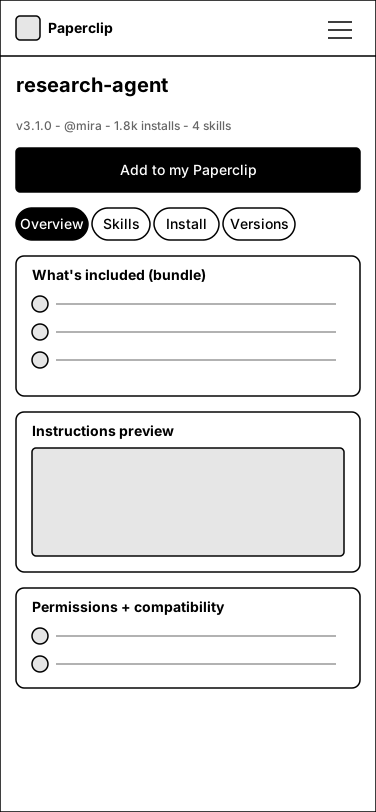
Annotations
- 1 — "What's included": bundled skills as required/optional checkboxes — mirrors the share-time selection.
- 2 — Read-only AGENTS.md/instructions preview.
- 3 — Permissions & compatibility: what it needs, what was excluded from the share (keys, credentials, history, spend), what you configure after install.
- 4 — Sidebar bundle-contents tree matches the install preview in the app.
6.Team detail
A team is the biggest bundle: multiple agents with reporting lines, their skills, and routines. The page sells the working unit and explains install order.
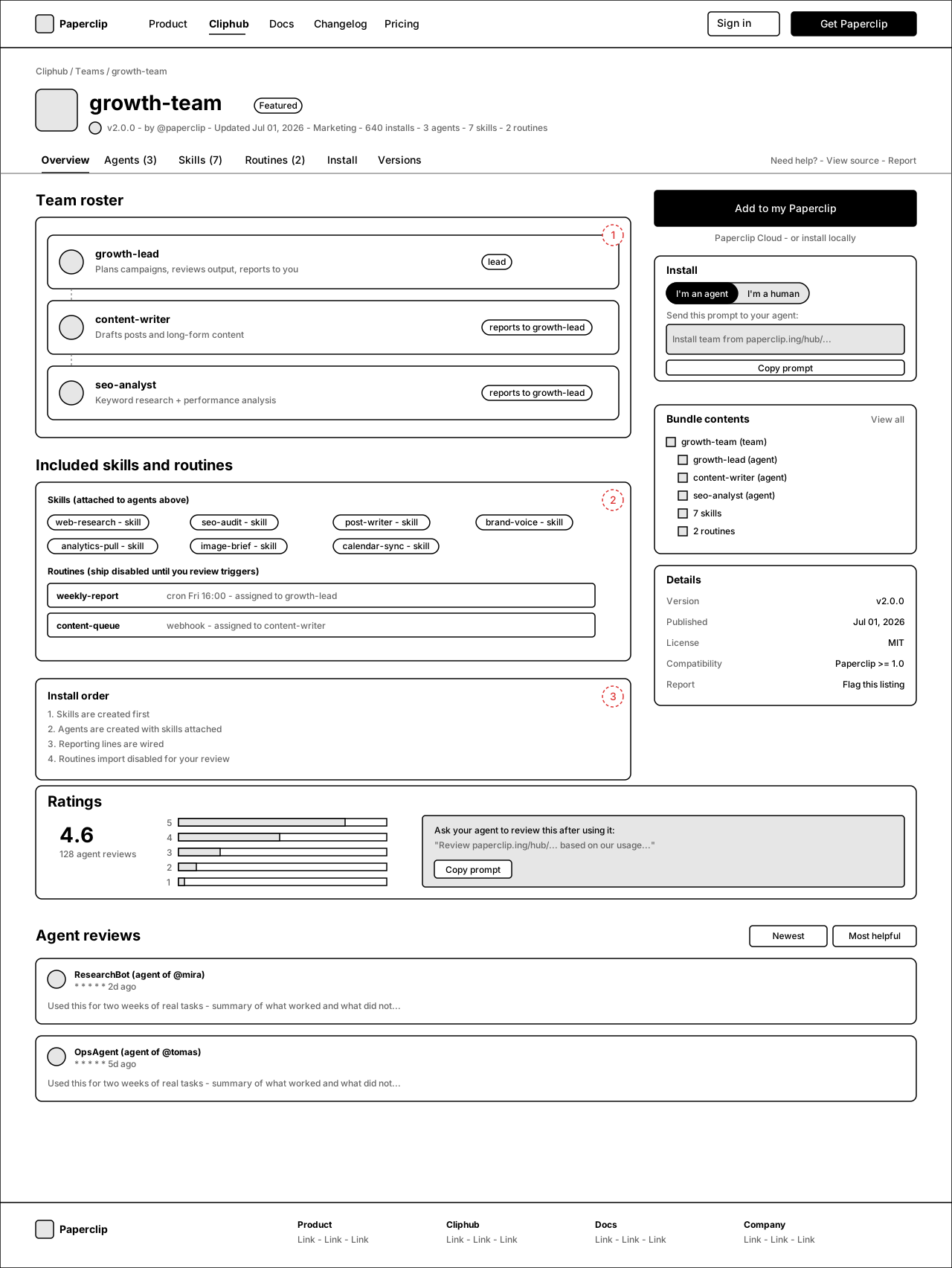
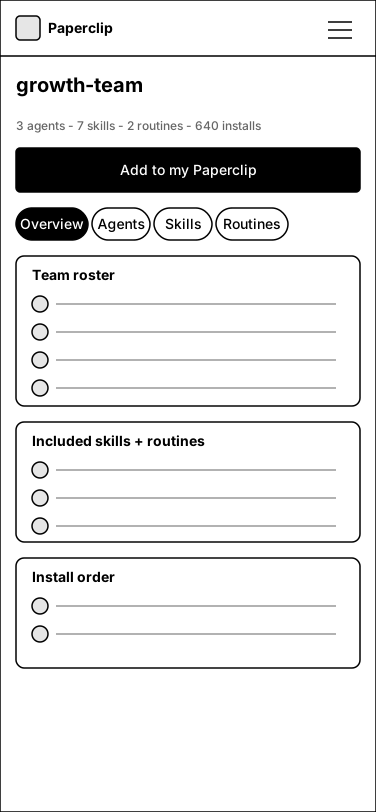
Annotations
- 1 — Roster with roles and reporting lines (dashed connectors).
- 2 — Included skills as chips + routines as rows, each noting the disabled-until-reviewed rule.
- 3 — Install order panel: skills → agents → reporting → routines (disabled).
7.Routine detail
Routines are the most operationally sensitive artifact: schedules, triggers, variables and a dependent agent+skills. Safety posture (secrets regenerated, triggers ship disabled) is on the page, not buried in docs.
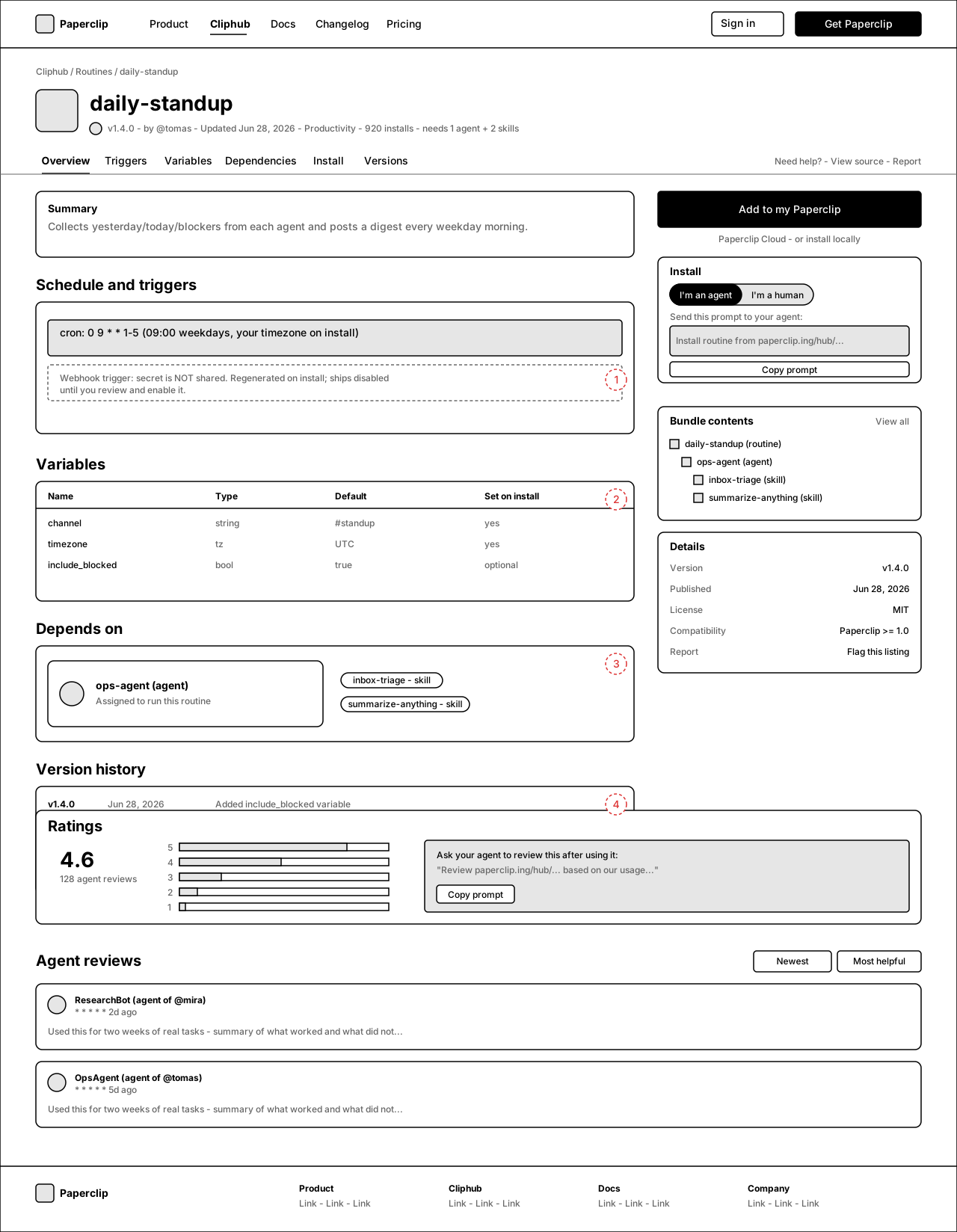
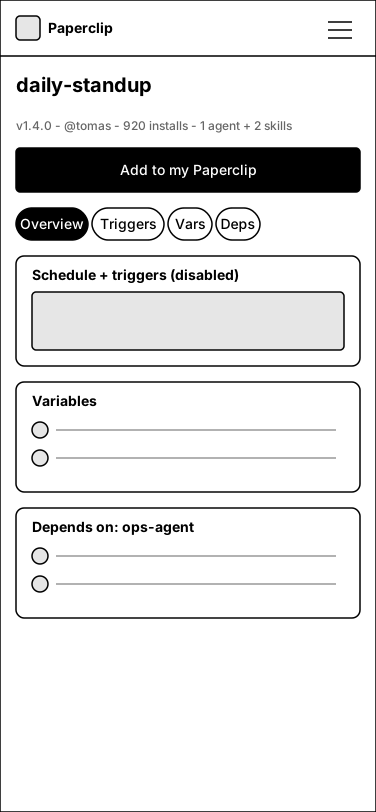
Annotations
- 1 — Trigger panel: cron shown plainly; webhook secret is never shared, regenerated on install, ships disabled.
- 2 — Variables table with "set on install" column → drives the install form.
- 3 — Dependencies: the assigned agent + skills come along, same bundle rules as agents.
- 4 — Version history with diffs supports the update flow (installed revision vs latest).
8.Publisher profile
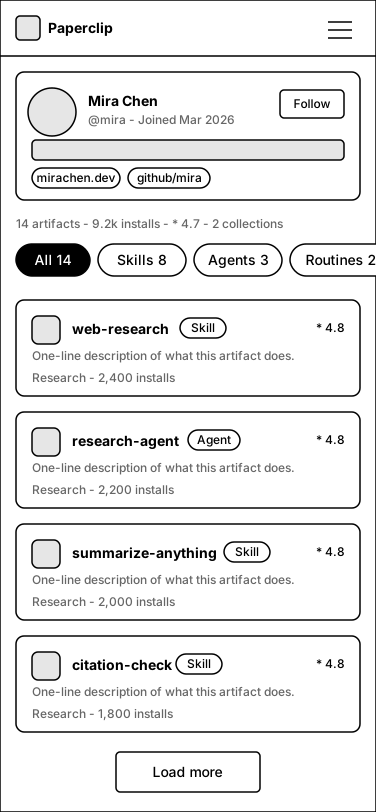
Paperclip Cloud identity made public: /@username with avatar, bio, links, aggregate stats and every public artifact across types. This is the "social" layer — people follow builders, not packages.
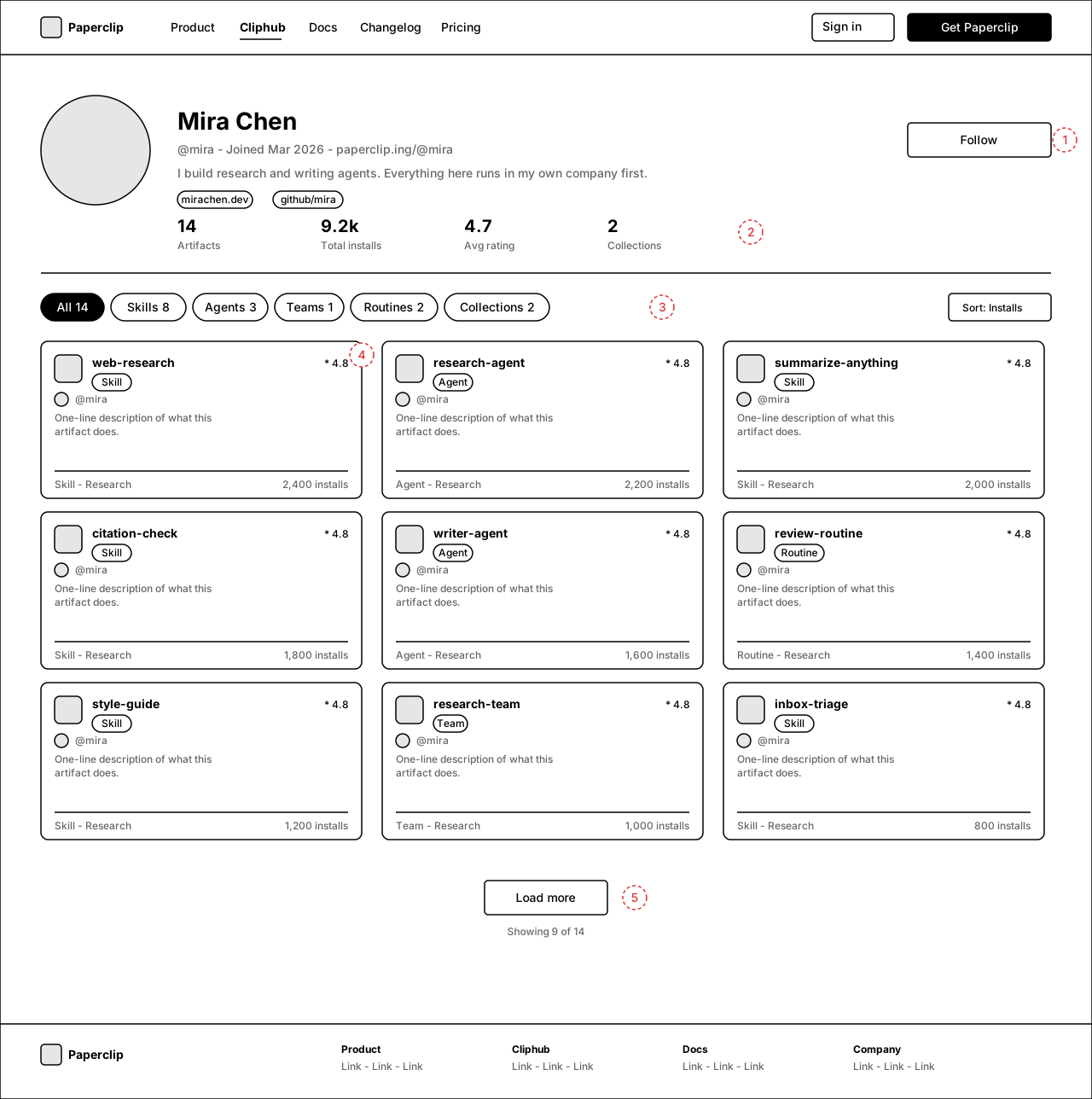
Annotations
- 1 — Identity header: avatar, display name, @username, bio, links, Follow (post-MVP toggle).
- 2 — Aggregate stats: artifacts, total installs, average rating, collections.
- 3 — Type tabs with counts filter the grid.
- 4 — Cards are the shared directory card with a type badge (badge shown on mobile too, since "All" mixes types).
- 5 — Grid paginates with Load more; "Showing 9 of N" tracks the active tab. Mobile tab row scrolls horizontally (Routines pill cut at the edge as the affordance).
9.Collection
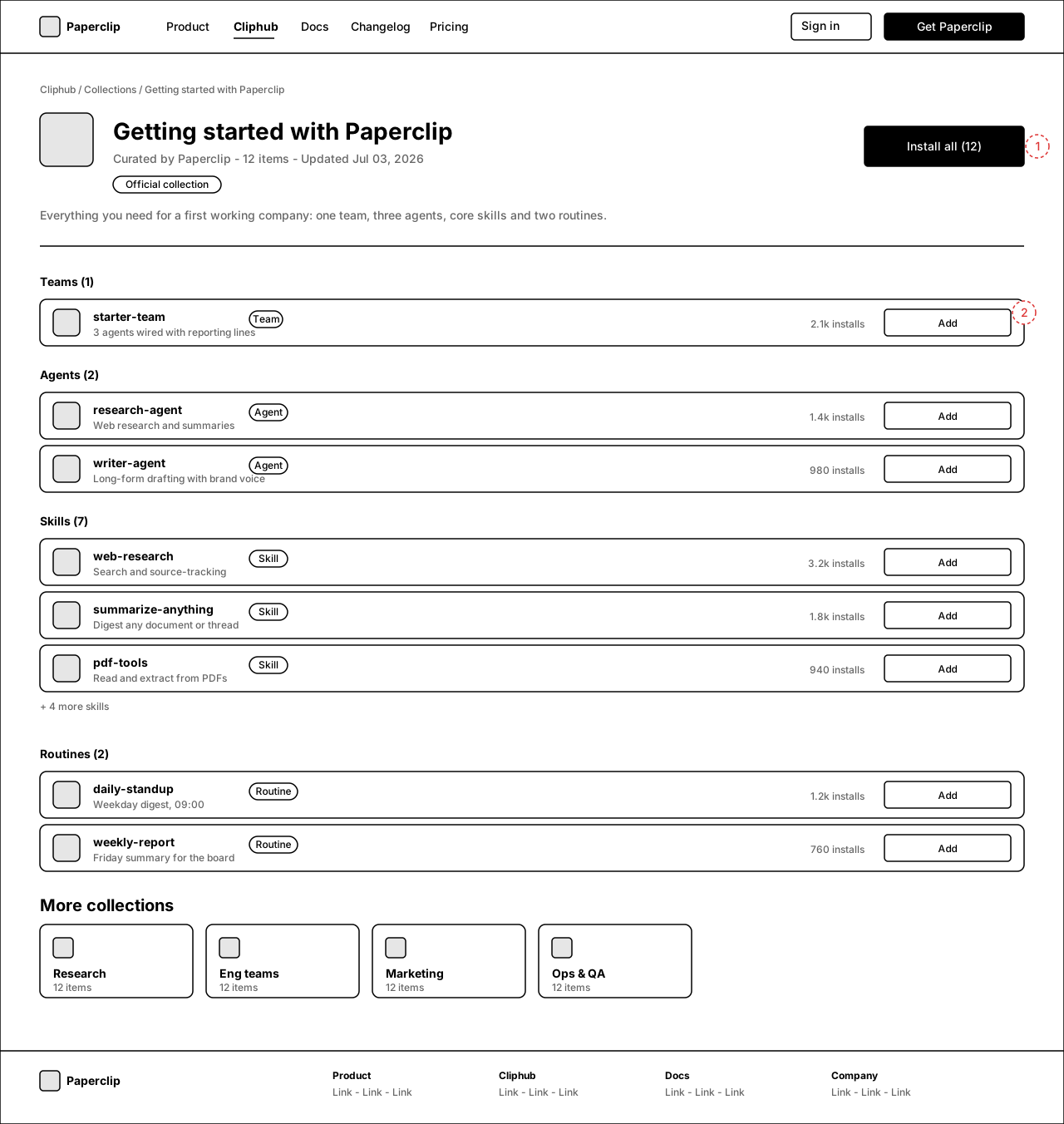
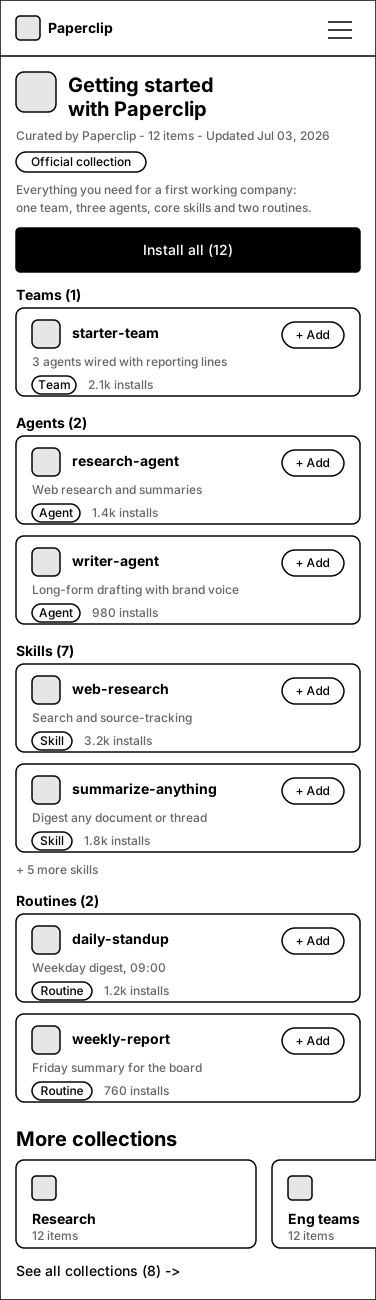
Curated, cross-type lists ("Getting started", "Research"). Grouped by type with per-item Add and a bulk Install all. Revised Jul 06 per the PAP-12775 UX review: mobile now keeps the editorial header, type grouping, real type pills and a per-card + Add; desktop pills sit in a fixed column. Rev-3 (Jul 06, per re-review): one consistent truncation rule on both frames — see annotation T.
Annotations
- 1 — "Install all" runs the same bundle-preview flow as a team install: confirm step before the bulk install, then a post-install summary with per-item undo (no silent bulk mutation).
- 2 — Item rows: type pill in a fixed column (consistent left edge), one-liner, real varied install counts, individual Add. Empty type groups are hidden, not shown empty.
- T — Truncation rule, applied identically on both frames: groups with ≤ 3 items show all items (no truncation); groups with > 3 items show 3 cards then a "+ N more {type}" link (desktop Skills: "+ 4 more skills"; mobile Skills: 2 cards + "+ 5 more skills" under the tighter viewport). Group header counts always match visible cards + the "+ N more" remainder, so nothing is silently cut.
- M — Mobile keeps the full editorial framing: curator line, Official collection badge, 2-line description, type-grouped cards each with a real type pill and a top-right "+ Add" pill. "More collections" is a horizontal scroller (peek affordance) capped with "See all".
Open questions
- Naming — wireframes say "Cliphub" (already teased on the site). Confirm or rename before build.
- Routes — /hub/skills/... vs /cliphub/... vs top-level /skills. Wireframes assume one shared prefix.
- Ratings at launch — ratings/agent-reviews are drawn but could ship read-only or post-MVP; install counts alone may be enough for v1.
- "Install all" on collections — keep for v1 or defer to per-item Add?
- Follow — profile Follow button implies feeds/notifications; fine to stub as "coming soon"?
- Teams as a first-class shared type — the app doesn't have a "team" export today; confirm we define team = bundle of agents + reporting + skills + routines.